Latte PDF: Powerful PDF Editor & E-Sign for Mac A dead simple PDF editor. Click the words and type.
Edit text right on the page, fix scanned documents, fill and sign forms, black out private details and export to Office. All on your computer, with no internet needed to edit.
$9.99 once. No subscription, no account with us.
Bought a licence on this website before 23 November 2026? Download that version
Edit text in place
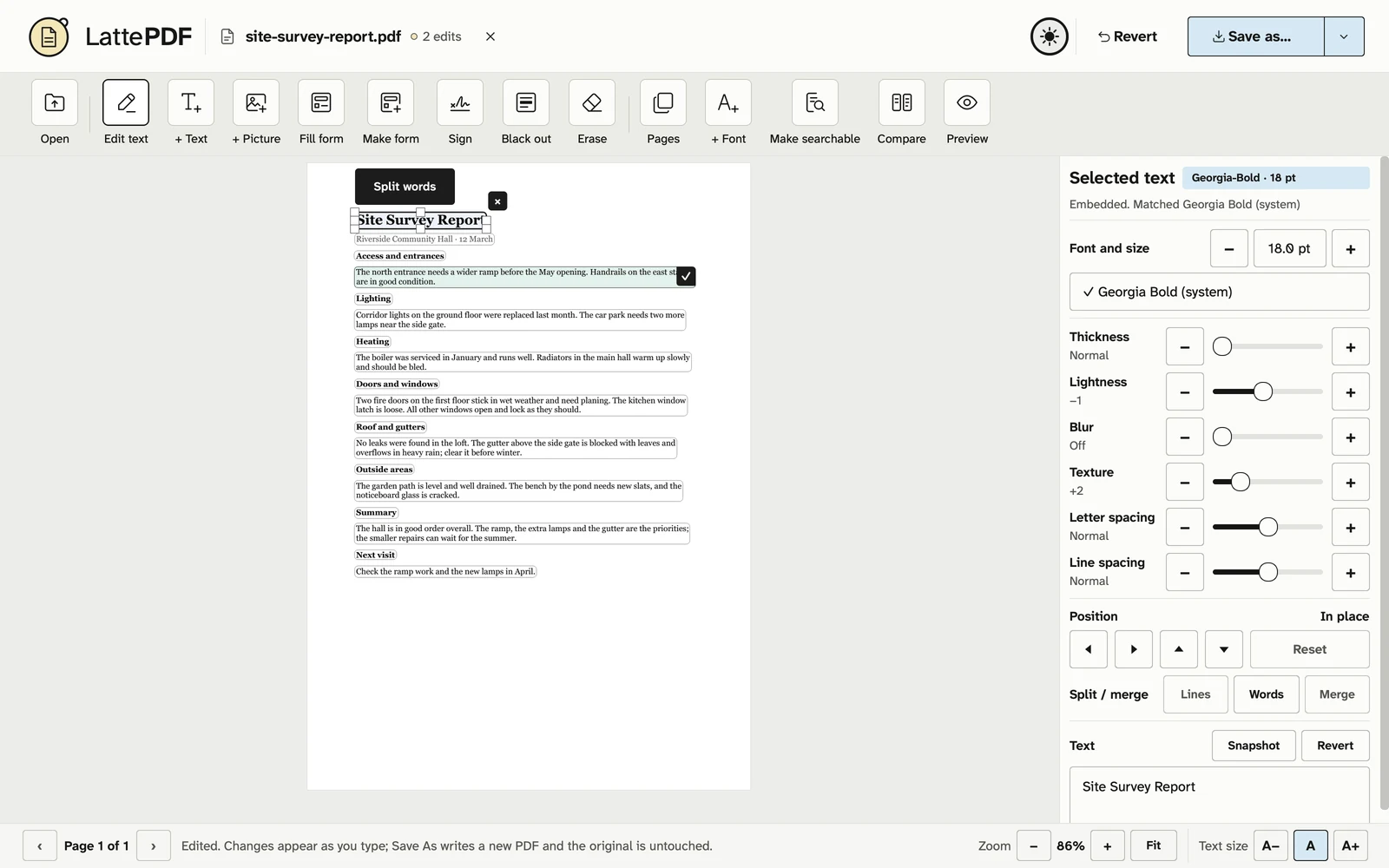
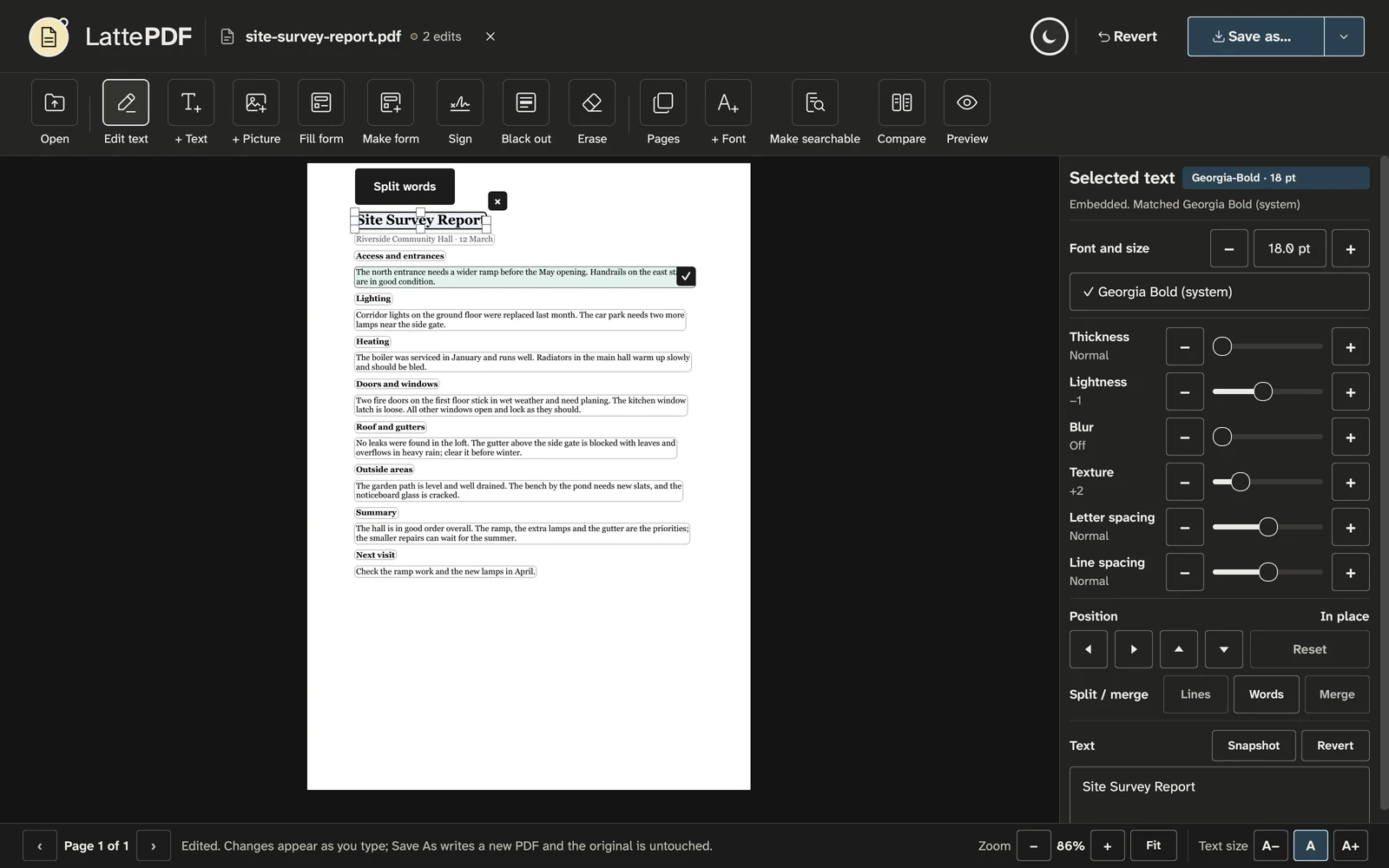
Click into a line and type on the page. Latte PDF keeps the original font, size and position, so the page still looks like itself.
Works on scans
Scanned pages are read on your device. Adjust thickness, lightness and scan texture until new words blend in.
Matches the font
It finds the closest font it can. If one is missing, drop in the .ttf or .otf file and carry on.
Split and merge
Fix how lines are grouped. Split a block into lines or words, or merge several into one.
Add new text
Draw a box anywhere on the page to fill in a form, add a note or correct a date.
Export to Word, Excel and PowerPoint
Get a Word document with its headings, lists, tables and pictures, a sheet a page in Excel, or slides with text you can edit. Scanned pages are read first, on your computer.
Compare two versions
Open two PDFs side by side and see every added, removed and changed word highlighted, with a list of changes to step through. A moved page shows as moved.
One action, many files
Make a folder of scans searchable, export it to Word, add a password or combine it into one PDF. Every result is a new file, and no original is ever written over.
Original kept safe
Save as writes a new PDF. The file you opened is never touched, so you can always go back.
Get a contract signed by everyone.
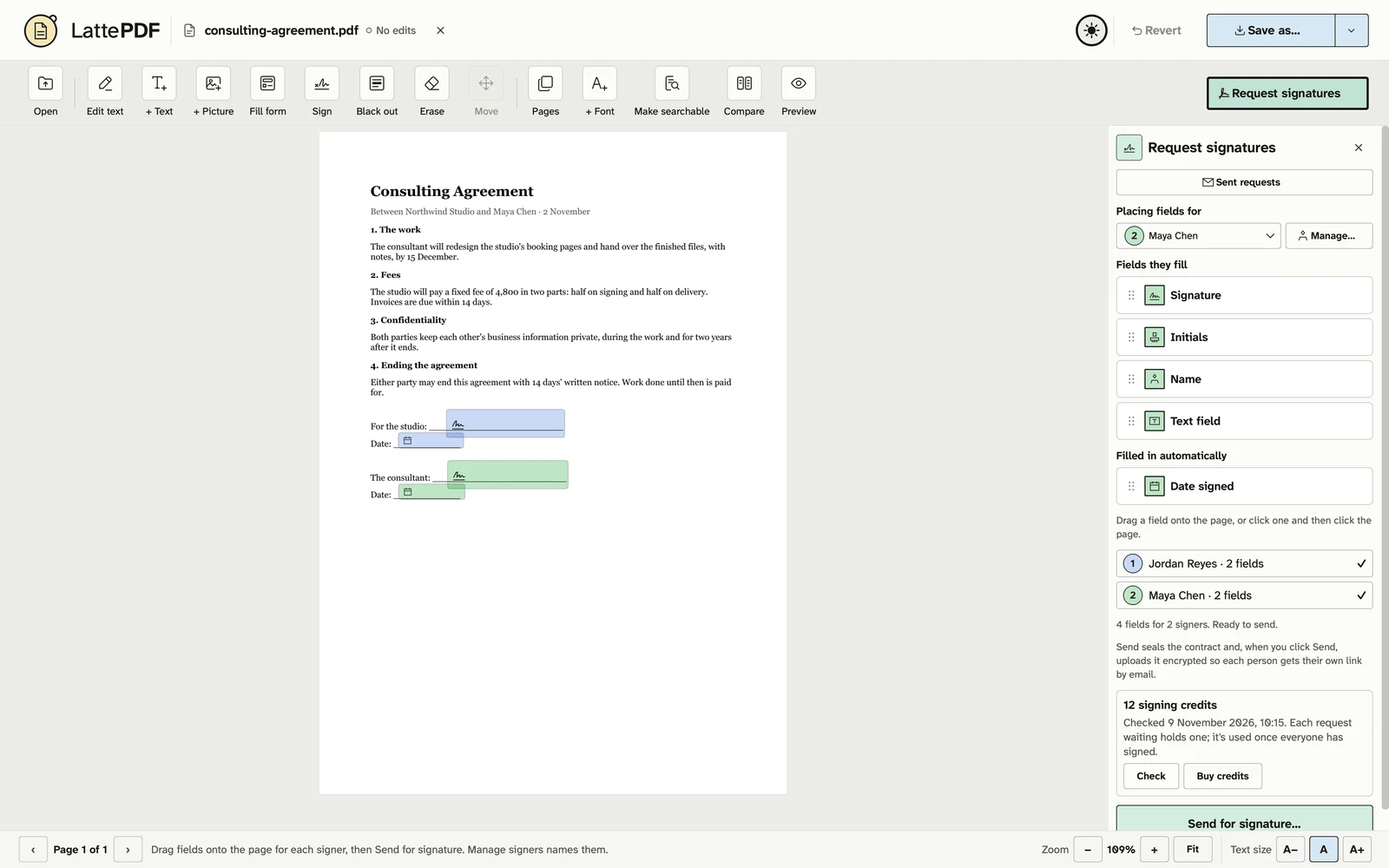
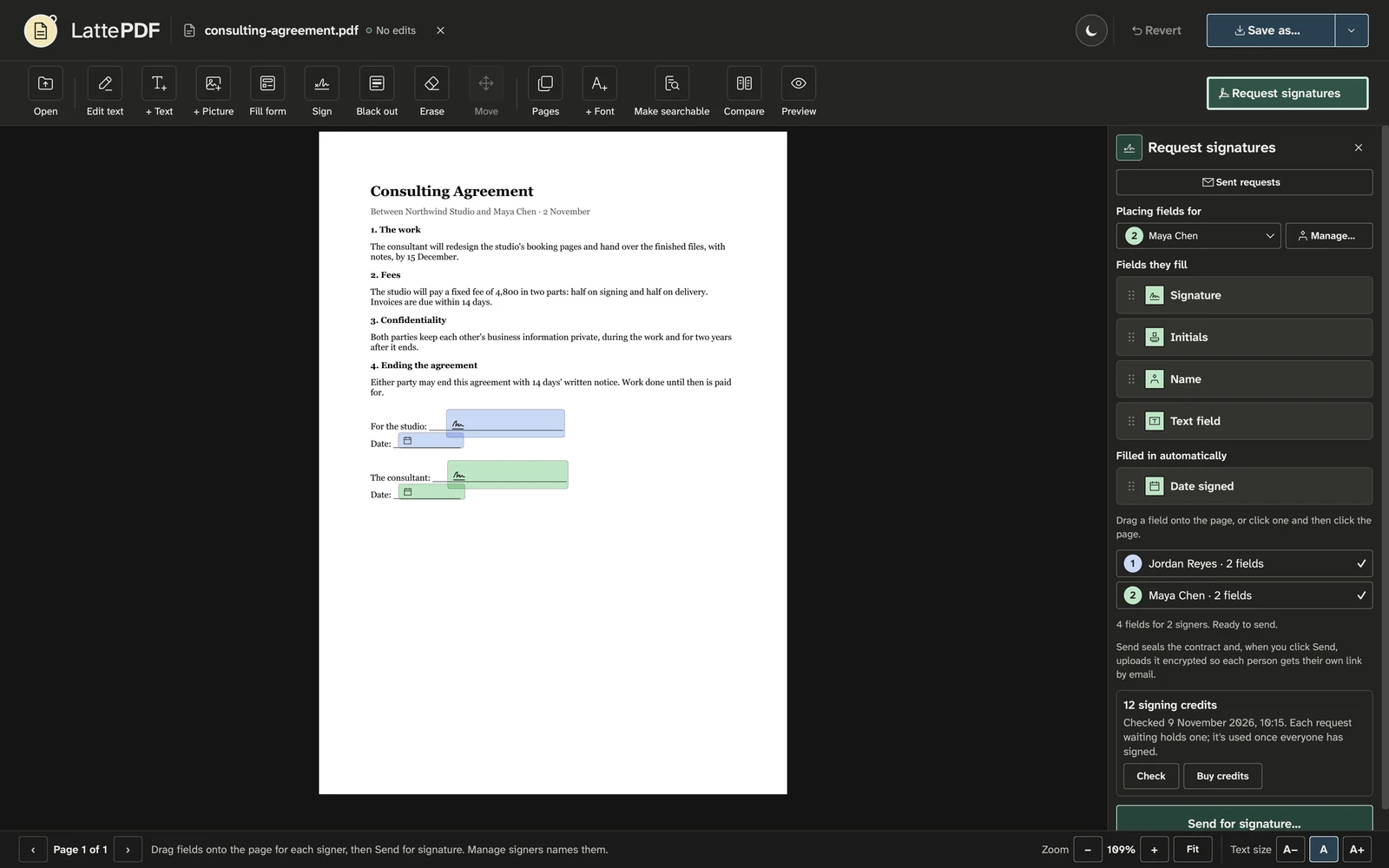
Place signature, initials, name, date and text fields for up to ten people, then click Send. Each person signs in their browser, in any order or one after another, and everyone gets the finished contract with a certificate page and a digital signature.
- Free for the people who sign
They need no licence, account or app: the link in their email opens the contract in their browser.
- One credit per contract signed
A credit is used only once everyone has signed. Credits come in packs of 10 for $9.99, bought in the app through the App Store, and bought credits never expire. Your first few requests are on us, to try it.
- A code if you want one
Ask a signer for a code before they can open the contract: one emailed to them, or one you give them by text or phone call.
- The one time a document leaves
Send uploads the contract encrypted, so the people you send it to can sign it. Editing never uploads anything.
Edit PDFs without renting your editor.
The big PDF editors ask for a yearly payment and send some of your work to the internet for their cloud and AI features. Latte PDF is paid once and never uploads a page while you edit.
| Latte PDF | Adobe Acrobat Pro | PDF Expert | Smallpdf | |
|---|---|---|---|---|
| How you pay | Yes. $9.99 once | No. $239.88 a year | Partly. $79.99 a year, or $139.99 once | No. Monthly or yearly plan |
| No subscription | Yes | No. Subscription only | Partly. Lifetime licence for the Mac | No |
| Your PDF stays on your computer | Yes. Always while you edit | Partly. Not with cloud or AI features | Partly. Not with PDF Copilot | No. Uploaded to its servers |
| Works with no internet | Yes. Every editing feature | Partly. Editing; not AI or cloud | Partly. Editing; not AI | No. A website |
| No AI reading your files | Yes. None built in | No. AI Assistant | No. PDF Copilot | No. AI tools |
| Edit the text of a scan | Yes. Read on your computer | Yes | Not stated on its own page or listing | Partly. In its cloud |
| Convert to Word, Excel and PowerPoint | Yes. On your computer | Yes | Yes | Partly. Online; offline in its Windows app |
| Compare two versions | Yes. Every change highlighted | Yes. Compare Files | Partly. Side by side in split view | Not stated on its own page or listing |
| One action on many files | Yes. Batch, every output a new file | Yes. Guided actions | Partly. Converting several at once | Partly. With Smallpdf Pro, online |
What three years cost
One person's copy, at each company's own price.
The original is never changed
Every edit is saved as a new copy with Save As. Your signed or official file stays exactly as it was.
No account, ever
Bought in the Mac App Store, with nothing of ours to sign up for. No password to forget.
Online only when you click
From the Mac App Store, it goes online for Add language and Request Signatures, and checks your signing credits once as it opens if you use them; the App Store updates it. Nothing on a timer, never a page of your PDF while you edit.
Their prices and features as each company showed them in US dollars in October 2026, on its own website or App Store page. They can change, so check before you buy.
The price of a Latte. Yours for life.
Latte PDF for Mac is sold in the Mac App Store: one payment of $9.99, every feature included, no subscription. It is coming to the Mac App Store soon.
Latte PDF for Mac
- Every feature, offline on your own computer
- Free updates to everything it includes, through the App Store
- Request Signatures, with free credits to try it
- Windows and Linux in 2027
Price in US dollars; the App Store shows it in your own currency, with any tax. Apple sells Latte PDF in the Mac App Store and handles the payment, the receipt and refunds. Bought a licence on this website before? It keeps working: see Support. See the terms of sale and refund policy.
Frequently asked.
How do I get Latte PDF?
In the Mac App Store, for $9.99 once. Every feature is included, with no subscription and no account with us. It is coming to the Mac App Store soon. Windows and Linux versions are coming in 2027. Latte Scanner Pro is sold separately, in the App Store for iPhone and iPad.
Why no subscription?
Because you shouldn't have to keep paying for something you already bought. You pay once, keep it, and get free updates to everything you've bought. Brand-new features may be offered separately, and you never need them to keep what you have working.
Can I try it before I buy?
Not on a Mac for now: the Mac App Store sells Latte PDF up front, with every feature. If it isn't right for you, Apple handles refunds for App Store purchases; see the refund policy.
Is Latte Scanner really free?
Yes. Scanning paper into searchable PDFs, locks and backups are free, with no account and nothing uploaded by the app. Latte Scanner Pro adds expenses, mileage, rental property, budgets and splitting for $7.99 once when it launches. It's sold on its own in the App Store, separately from Latte PDF.
How many computers can I use it on?
Every computer you sign in to the App Store with the same Apple Account: open your purchases in the App Store and download it again, at no extra cost. A business buys a copy for each computer.
How do I move Latte PDF to a new computer?
Sign in to the App Store on the new computer with the same Apple Account and download Latte PDF again from your purchases. There is nothing to deactivate and no key to enter.
I bought a licence on this website before. Does it still work?
Yes. A licence bought on this website before November 23, 2026 keeps working on the computers it covers, with free updates to everything you bought, through Check for updates in the app. Lost your key, or moving to a new computer? Support has what you need.
How do refunds work?
Apple sells Latte PDF in the Mac App Store and handles its refunds: ask Apple from your App Store purchase history. See the refund policy.
Can I get a receipt or an invoice?
Apple emails a receipt for every App Store purchase, and your purchase history in the App Store lists them. Apple is the seller, so the receipt comes from Apple.
How does Request Signatures work?
Open the contract in Latte PDF, click Request signatures, add each person's name and email address, and place their fields on the pages. Send emails everyone their link at once, and they sign in any order; tick Sign in this order and each person gets theirs once the one before has signed. Once everyone has signed, each of you is emailed a link to download the finished contract, with a certificate page listing who signed, when and how. Each contract uses one credit (about $1; packs of 10 for $9.99, bought in the app through the App Store) once everyone has signed; while it waits, it holds one. See the terms of sale.
What do the people who sign need?
Only the email with their link and a web browser, on a phone or a computer. They need no licence, account or app, and signing costs them nothing.
What is kept when I send a contract for signature, and for how long?
When you click Send, the contract is uploaded encrypted, and we don't store the key to it. The encrypted copies are deleted when the request is cancelled or expires, and the finished contract 30 days after it is completed. As evidence that each signature is genuine, our signing service keeps a record of email addresses, times, IP addresses and devices, until 31 December of the seventh year after the contract is completed (90 days for a cancelled request). Editing never uploads anything. The privacy policy has the details.
Does Latte PDF connect to the internet?
Only when you click Download in Make Form › Add language, Send for signature or Buy credits, or open File › Sent Requests (which checks your waiting requests and credits) or click a button there. If you use Request Signatures, it also checks your signing credits once as it opens. Otherwise it never goes online by itself: no background connections, no usage tracking. Your documents are never sent, except a contract you send for signature, which is uploaded encrypted when you click Send.
From the Mac App Store, there is no licence key to activate, and Latte PDF has no updater of its own: the App Store brings its updates. A copy bought on this website before also goes online when you click Activate, Deactivate this computer or Check for updates, as it always has. Add language downloads a font for form answers in Chinese, Japanese or Korean and sends nothing about you. The first time you send for signature, Latte PDF sends your email and the App Store's proof that you bought it, to make your signing key; Buy credits pays through the App Store and sends Apple's record of the purchase, so the credits are added.
Do I get future updates?
Yes. You pay once, $9.99, and the App Store brings free updates to everything you've bought: fixes, improvements and new versions. Brand-new features may be offered separately; you never need them to keep what you have working. There is no subscription and nothing to renew.
Which computers does it run on?
Macs with macOS 13 (Ventura) or later, with Apple silicon (M1 or newer). Intel Macs aren't supported for now. Windows and Linux versions are coming in 2027.
Is it safe to edit confidential PDFs with Latte PDF?
It is made for exactly that. Latte PDF opens, edits, previews and saves your PDF on your own computer, so contracts, medical forms and tax papers never leave it while you edit (sending one for signature uploads it, encrypted, when you click Send). There is no account and no cloud copy of your files, and Save as writes a new PDF, so your original is never changed.
Can Latte PDF turn a PDF into Word, Excel or PowerPoint?
Yes, on your computer, with nothing uploaded. File › Export to Word… writes a document that flows like one typed in Word: paragraphs, headings Word knows as headings, bold and italic, lists, tables and pictures, without the running headers and page numbers. Export to Excel… gives each page its own sheet, its tables cell by cell with numbers you can add up, and the rest of its text below. Export to PowerPoint… makes a slide of each page, with its text in boxes you can edit.
The export is made from your edited copy, the same one Save as would write, so what you blacked out stays out. Scanned pages are read on your computer first. Your PDF is left as it was.
Can it show what changed between two versions of a PDF?
Yes. File › Compare with… opens the two files side by side, scrolling together: added, removed and changed words each highlighted in their own colour, with a list of every change to step through. A page that moved shows as moved, and scanned pages are read on your computer first. Save comparison report… writes the changes as a new PDF. Neither file is changed.
Can I do the same thing to many PDFs at once?
Yes. File › Batch… takes files or a whole folder and does one thing to each: make it searchable, export its text or export it to Word, Excel or PowerPoint, save it with a password, remove personal info, or combine them all into one PDF. Each result is a new file, named after its original with an ending you choose, such as " (searchable)", and never written over another file, and the originals are never touched. A file that needs a password is skipped and named, so you can open it on its own.
What does Latte PDF do with a PDF's hidden details?
Latte PDF never writes your name, your computer's name or its folders into a copy you save.
File › Document Info… shows what a PDF carries besides its pages, such as the author, the apps that made it and names on comments, and which of those details a copy can leave out. Turn on the Remove personal info choice, there or when you save, and the copies you save leave them out. For a protected PDF the choice is off, and the app says why.
The document's own content stays as it is: the words on its pages (a scanner's invisible text layer too), comment text, form answers, attached files and scripts. To take words out for good, use Black out. Before you save, it shows what it will take out and what it can't reach, such as what is inside an attached file.
Do you collect any of my data?
Not from your documents, ever, and the app sends no usage data at all. Apple sells Latte PDF in the Mac App Store, so we never see your payment details or your Apple Account. This website sets no cookies. It keeps anonymous, cookie-free daily counts of visits and clicks, with no IP address or visitor identifier. The privacy policy lists everything.
Private by design. Priced for everyone.
Pay once. Your files stay on your own computer.